To Track Youtubers, follow these steps:
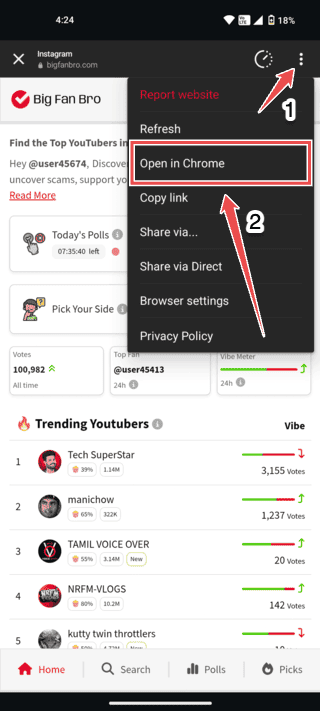
Step 1: Open in Chrome
1. Tap the three dots (•••) in the top-right corner.
2. Then, select the option **"Open in Chrome"** to open the site in the Chrome browser.
Next Step: Add to Home Screen
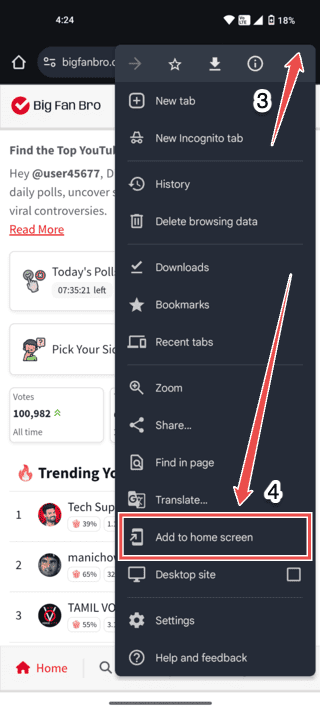
3. In Chrome, tap the three dots (•••) in the top-right corner again.
4. Select **"Add to Home screen"**.
Enjoy the App 🎉
Open the BigFanBro app anytime to vote, track YouTubers, and see live rankings right from your home screen!
For any issues, feel free to contact support at [email protected]